Parent Ping
"Training users on new technology is central to their understanding of its capabilities and appreciating how it differs from other technologies with which they are familiar."
Wanda J. Orlikowski (Learning from Notes)
Our partners, team, & project goals
An opportunity to help schools
For our UCI Capstone Project, my group was tasked with assisting a local high school with their PTA program. We were excited to work in ed tech to develop a solution to communications amongst parents to keep them in the loop of school events.
Our partner,
Corona del Mar PTA
We were delighted with the opportunity to help out Corona del Mar's PTA program located in Newport Beach, CA.


PTA Board Member
Years of experience in several fields as a CEO, board director & more
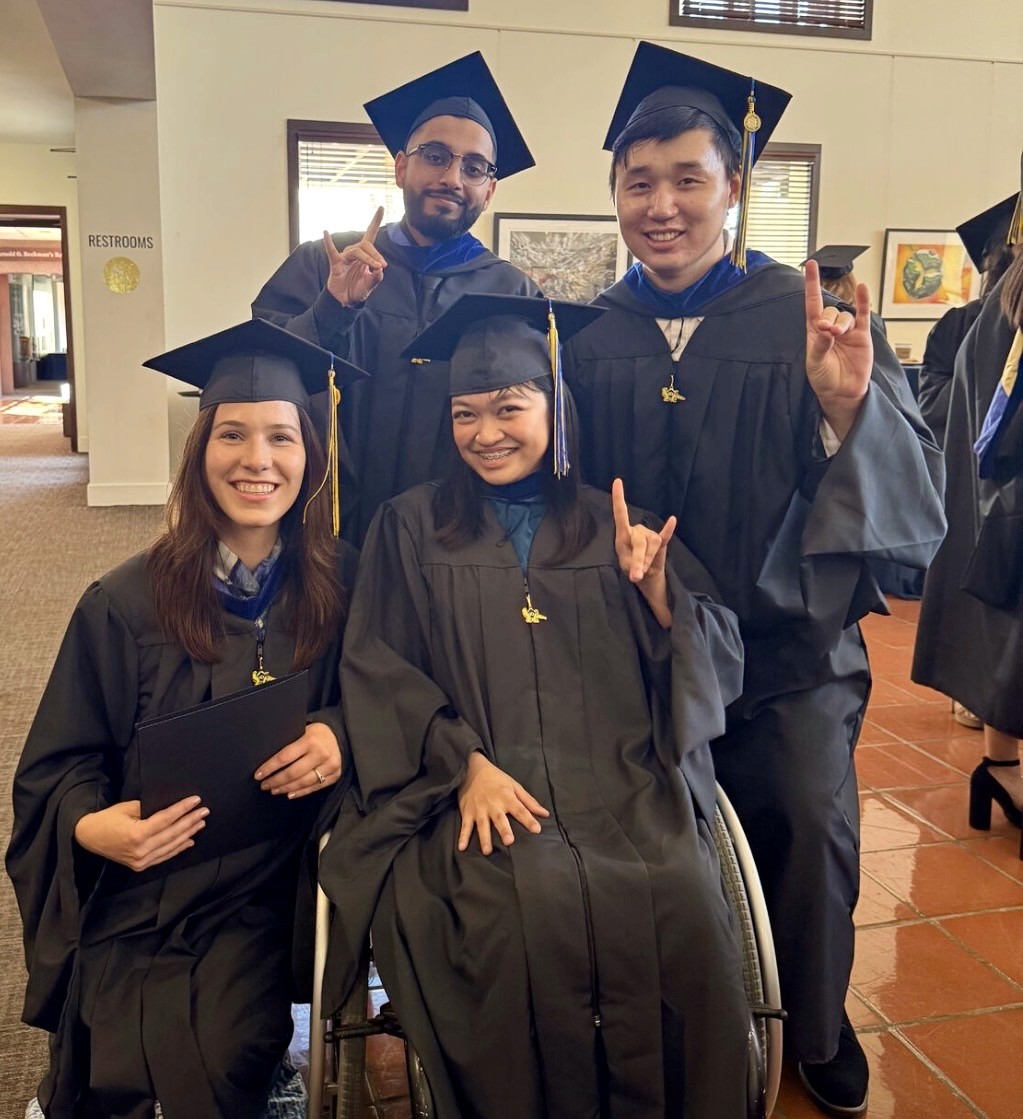
Meet Pixel 4
Jaan Singh (me)
Elise Maddox (left)
Kathrina Bautista (center)
Hamin Kim (right)
The goal was to boost PTA membership
Drive existing user engagement to encourage new members to become part of the PTA.
Project timeline
Research methods (Spring 2025)
Research plan
Market data pull
Literature review
Qualitative interviews
Competitive analysis
Define problem areas
Prototyping, research, & user testing (Summer 2025)
Wireframing
Narrow down problem area
Test wireframes
Mid-fi prototyping
Branding
Test mid-fi prototyping
Hi-fi prototyping
Final prototyping test
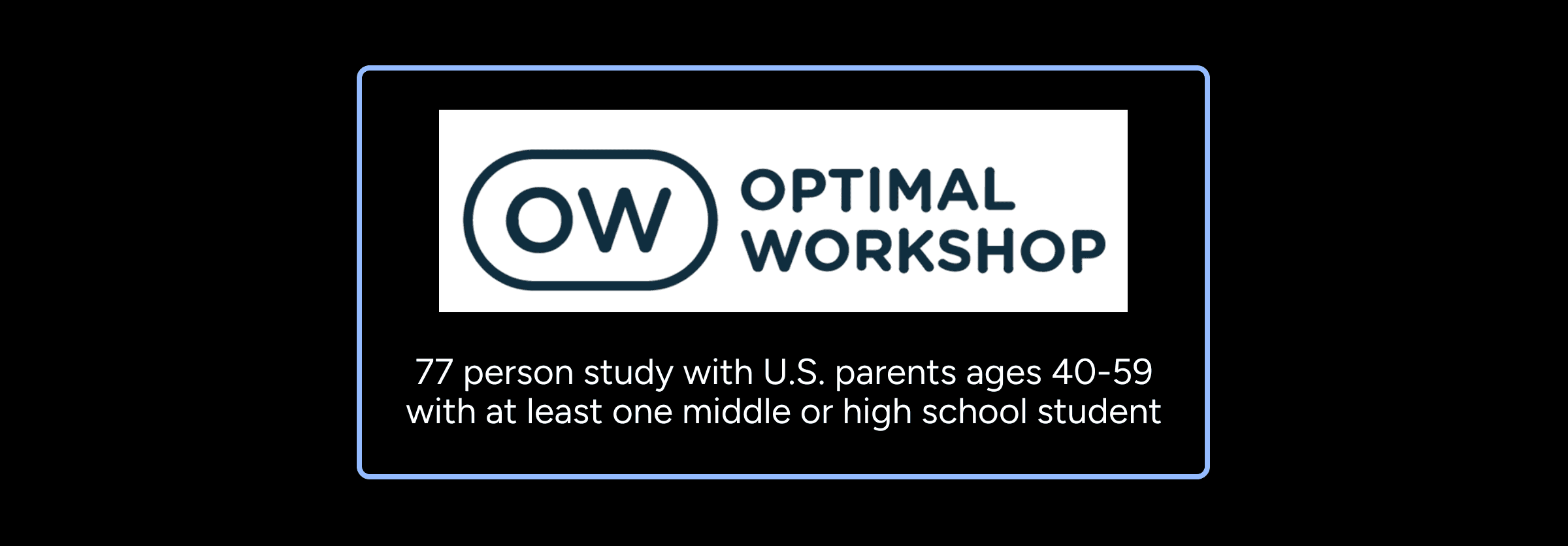
Survey
Finding our focus
Research areas of focus

Creating a 0 to 1 tech solution
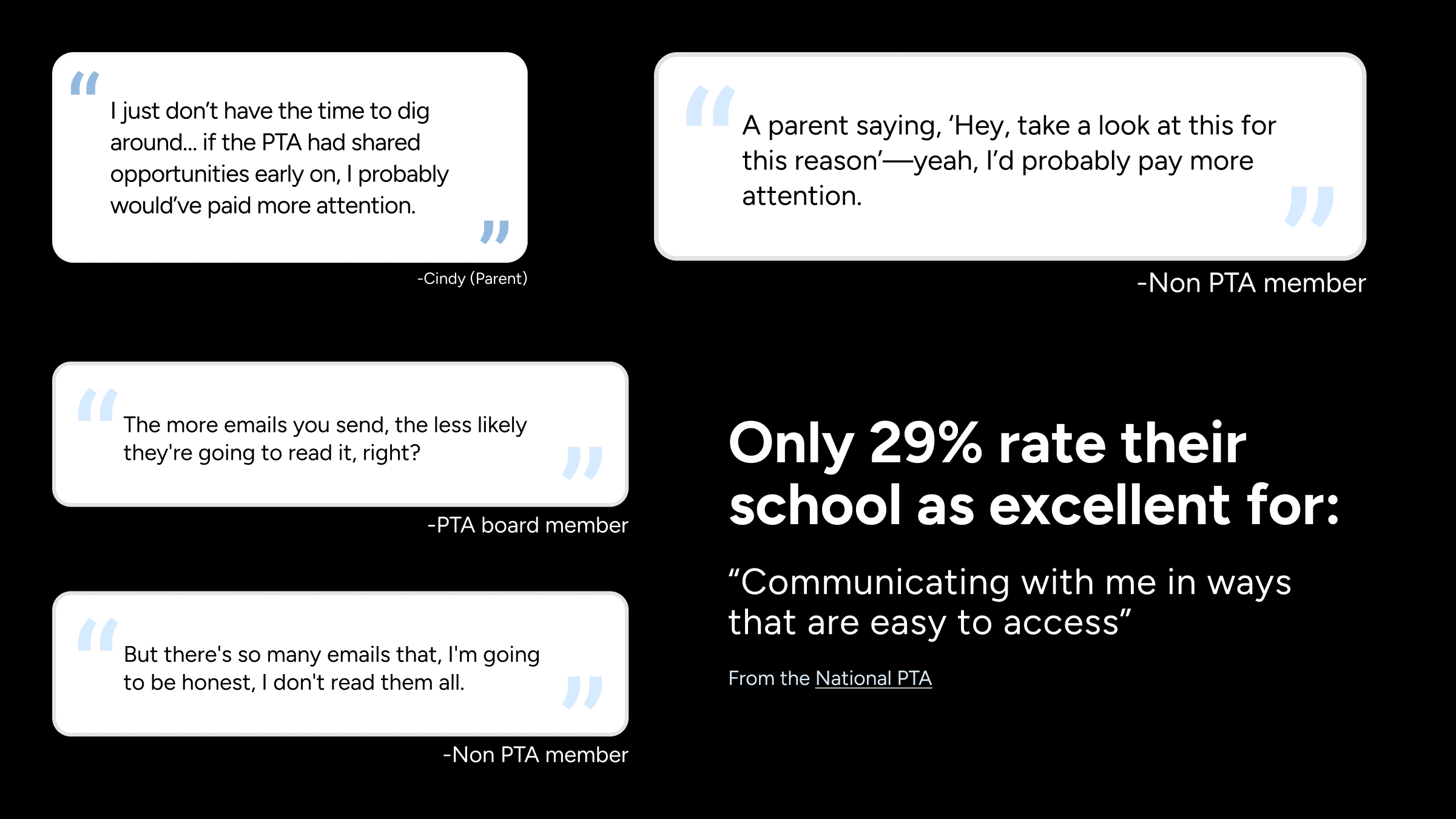
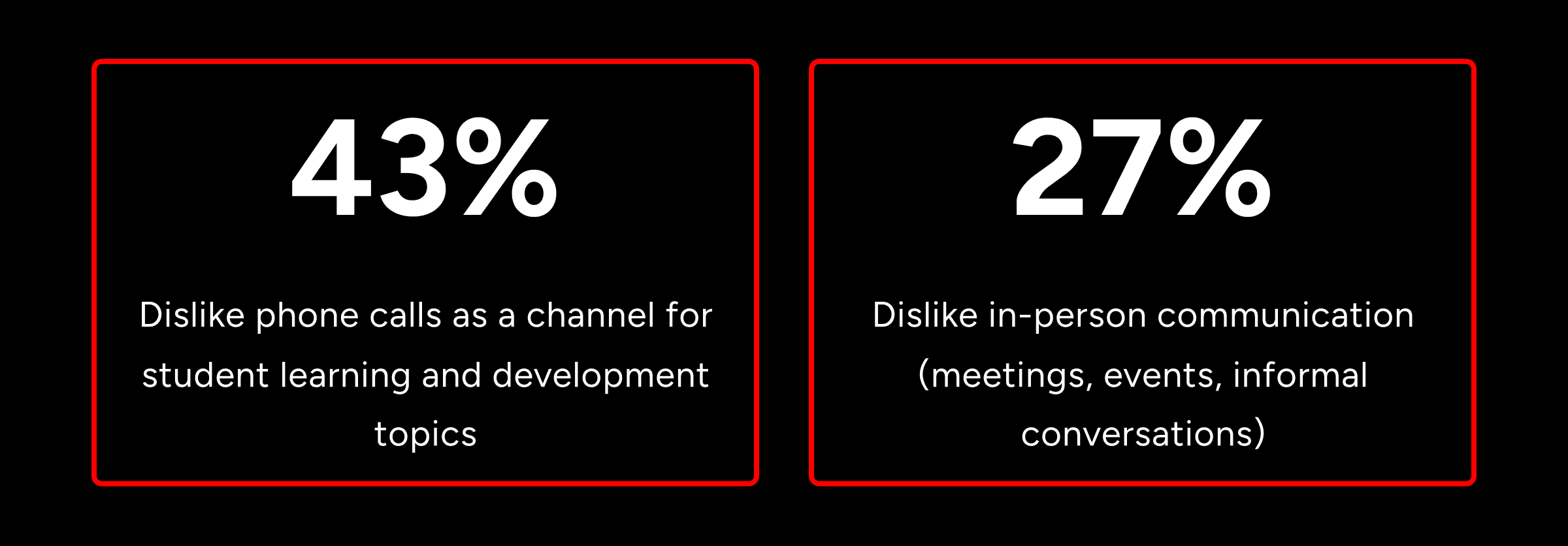
We considered multiple opportunity areas, but we knew through research that parents want better parent-to-parent communication, but are limited by time and who they already know. This become our main focus: to facilitate informal, digital parent-to-parent communication.
Parents want conversations, not just broadcasts
Gathered from market research, surveys, & 8 interviews with principals, teachers, PTA leaders, and non-PTA parents.
First round of user testing (qualitative)
How we tested our mid fidelity screens
We created a usability testing script that laid out three objectives. We gathered our testers and had them use our prototype to see if they could perform those tasks while jotting down any issues that arose.
The results and what we needed to improve
4 areas of importance:
Accessibility
Navigation
Trust
Posting
2 aspects of the app that needed tweaking:
Increase text size
Rework information architecture
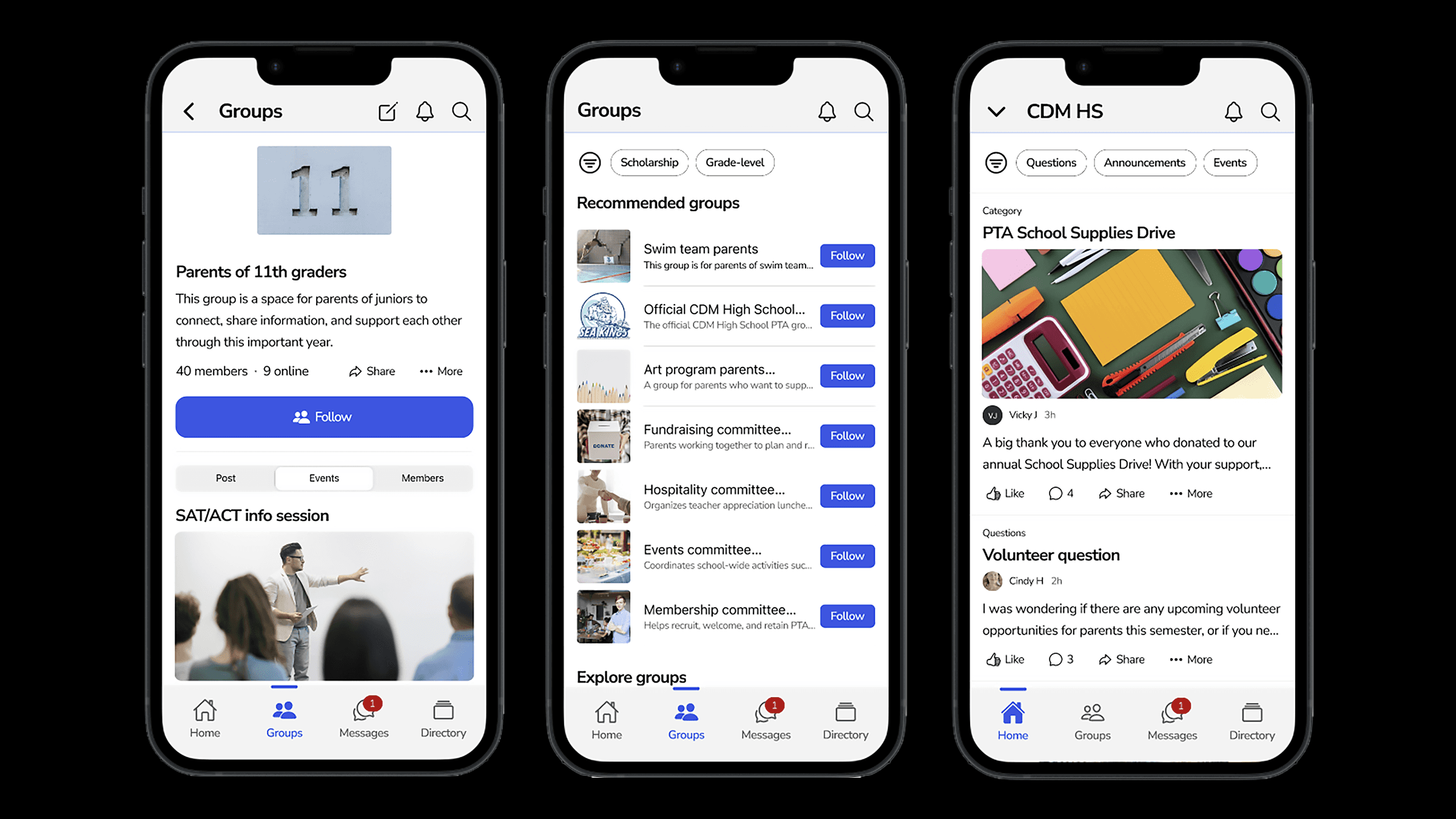
The features we decided to build
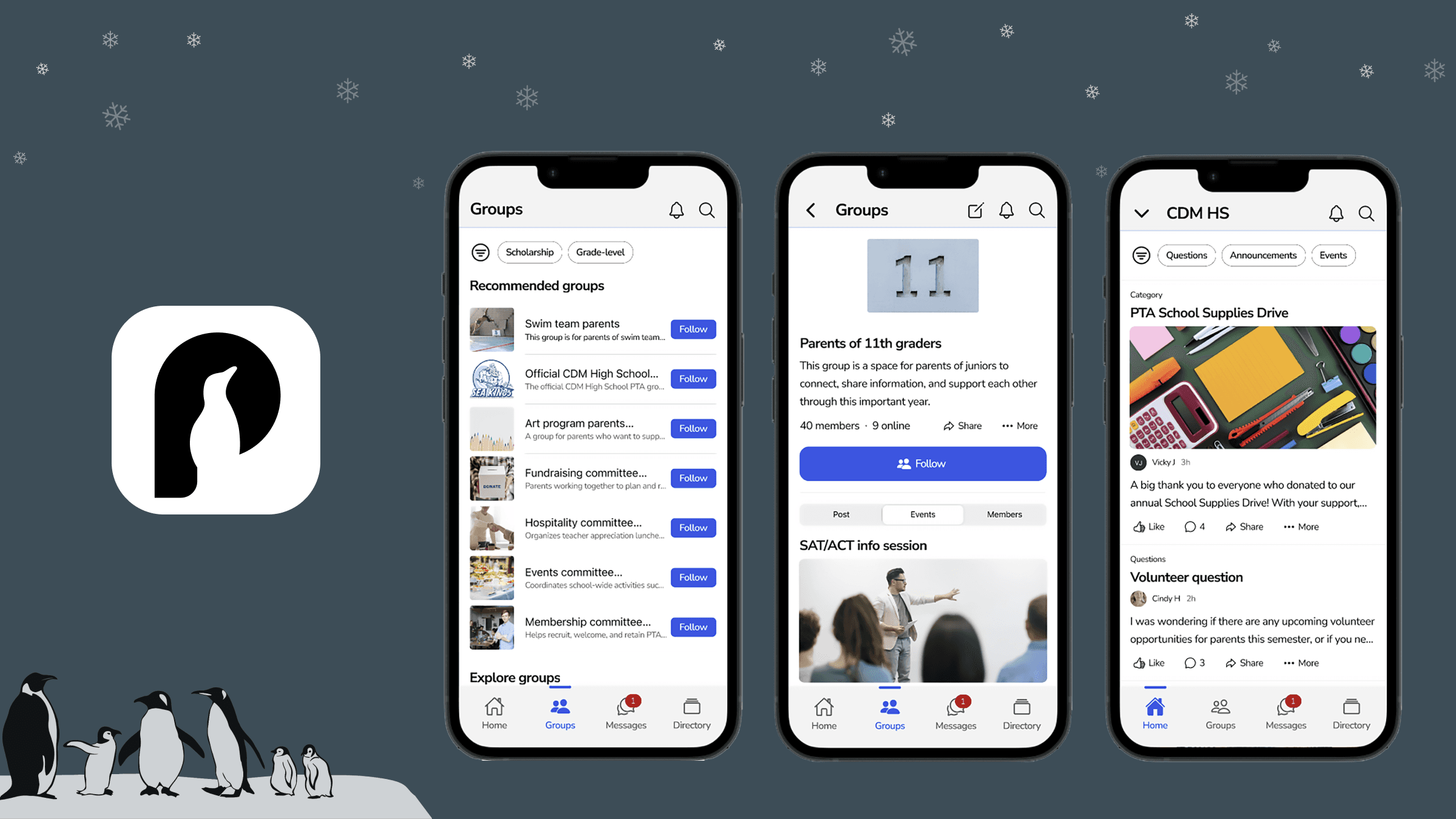
Newsfeed (Home) - Page where users can see posts from groups that they follow and general school announcements
Groups - Page where users can explore & follow various groups from their child's school
Messages - Page where users can direct message other parents
Directory - A full list of all parents at the school
Product positioning & branding
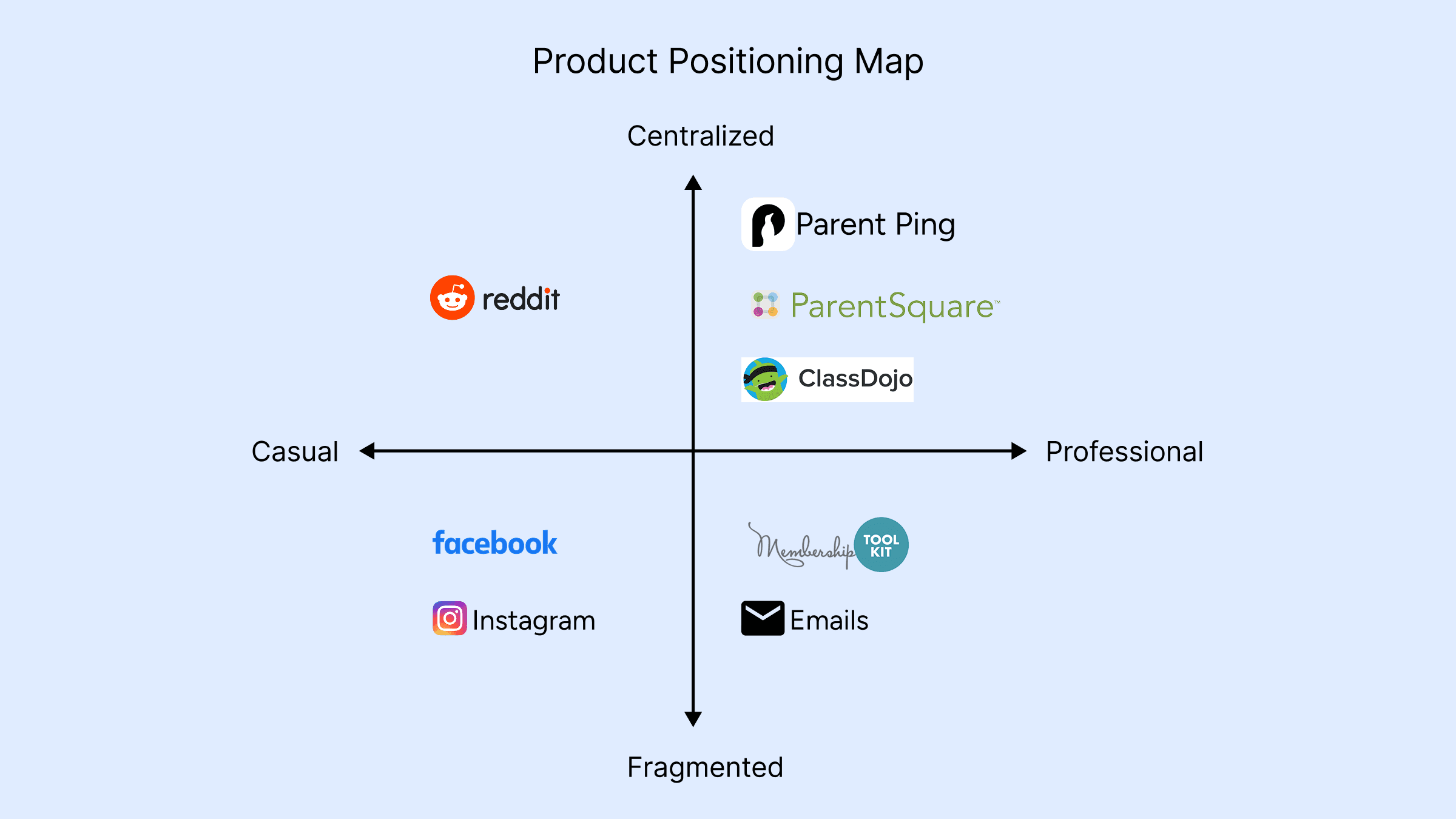
*Membership Toolkit, ParentSquare, ClassDojo, & Reddit were included after completing a full competitive analysis of those 4 apps.
Where our app fits
Target Audience
Busy parents, PTA members, school staff
Problem
Scattered communication (emails, flyers, chats) makes it hard to stay informed
Value proposition
A single hub for trusted PTA communication and parent community
Differentiation
Unlike email blasts, our app is consistent and PTA-focused
Branding workshop with stakeholder
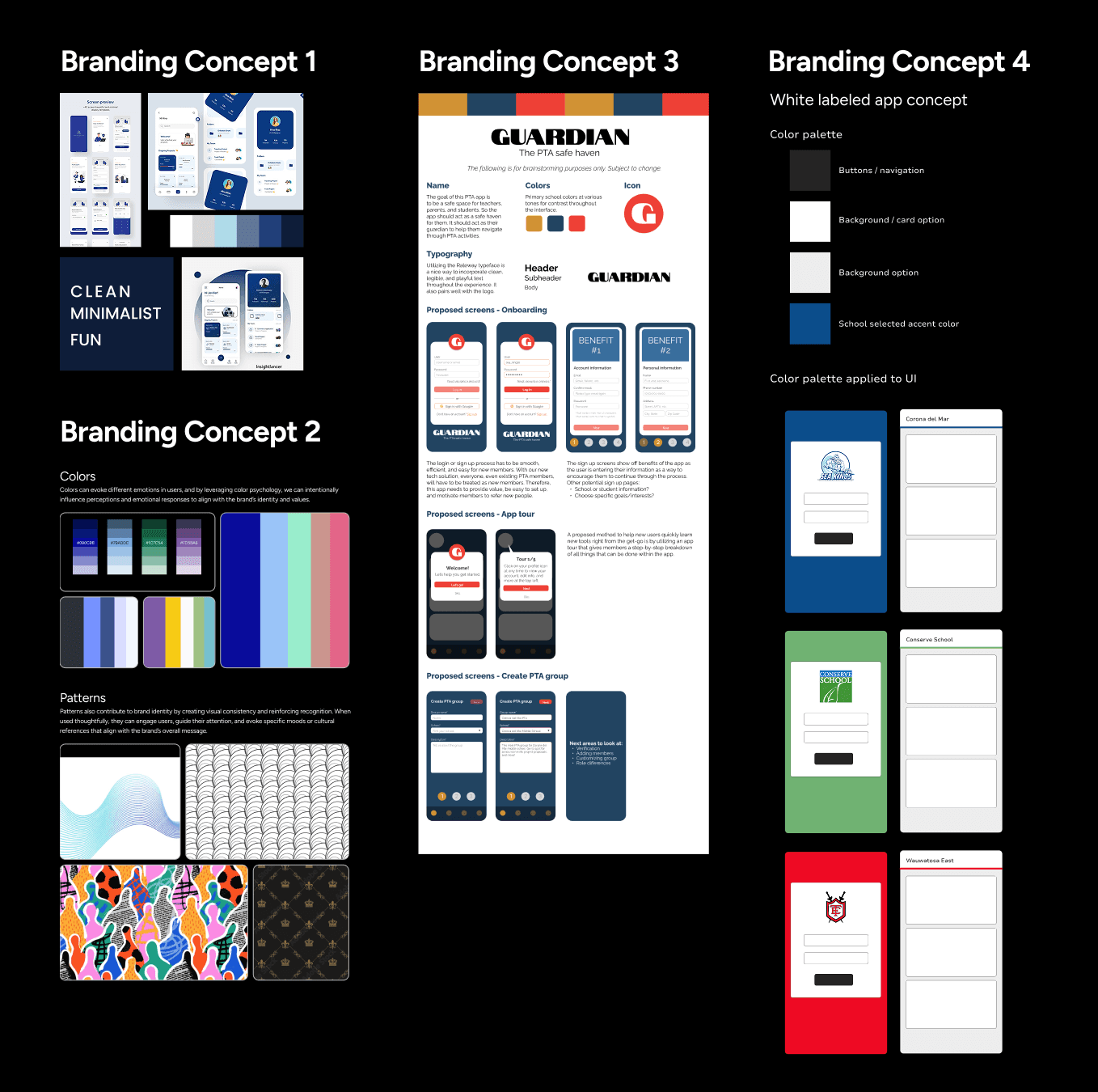
4 areas of importance in how the brand is represented:
Tone should be witty with an academic flair ("not cutesy")
Should make the user feel informed, proud, & responsible
Kim wanted us to take inspiration from Notability, Canvas, Apple Passwords, & Schoology
Overall, she wanted a clean, but serious look
Design system
Choosing how we build our app
Design systems create consistency, save development time, and make our product easier to scale and maintain.

Ionic design system
Built for mobile apps, it helps us create smooth, responsive designs that work on both iOS and Android.
Why we chose Ionic
Compatible with iOS and Android
Figma UI kit available
Recommended by two consulting developers for its flexibility
Adjustments can be made to certain elements
Vast developer documentation allowing for smooth dev handoff
High-fidelity prototype testing (quantitative)
Quantitative usability study
Usability study included market fit survey questions & five usability tasks:
Switching between schools
RSVPing for an event
Filtering newsfeed content
Following a group
Finding a parent & messaging them
Our quantitative usability included some market fit survey questions to understand outstanding research questions & assess the appeal of the app.
Overall usability score
We achieved a 73.5 UM UX Lite (>70 is considered above average)
RSVPing for an event & navigating newsfeed (61% Success)
Users needed to scroll through newsfeed in order to RSVP for an event.
Following a group (67% Success)
Users needed to navigate through the groups page to follow "Parents of 11th graders".
Finding a parent & messaging them (61% Success)
Users were tasked with finding the parent of Sofia Torres to then send them a message.
Switching between schools (37% Success)
Users were given a scenario where they are a parent that has two kids that go to different schools so they were asked to switch schools.
Filtering newsfeed (41% Success)
Users were asked to filter the newsfeed to specific topics of interest.
Next steps
What we recommend as next steps
Qualitative usability study to see what is making certain tasks in the app difficult to complete.
Redo the quantitative test aiming to receive a 75% or higher success rate.
Other opportunity areas
Optimize process of joining the PTA
Rework how projects are funded & the project approval process
Inclusion of teachers & features specific to them
We wanted to thank…
Professor Matt Bietz & Kimberly Dennin – for their invaluable guidance during the capstone
Our stakeholder, Kim Sentovich – for her flexibility, insights, & partnership